
In This Article
- What Is Paylution?
- Setting Up Your Settlement Account
- Settlement Schedule
- Auto-Transfer to Your Bank
- Frequently Asked Questions
What Is Paylution?
Paylution is Quivers' third-party payment partner — an easy-to-use, secure, global online Pay Portal dedicated to your organization. It's how you receive payment for the orders you've fulfilled, and it also offers a Paylution Visa Prepaid Card option where available.
Setting Up Your Settlement Account
After your Quivers account is created, you'll need to complete Creating Your Settlement Account before Paylution can be activated. You can do this from your Onboarding checklist or directly from the Payouts section, where your accounting information is added.
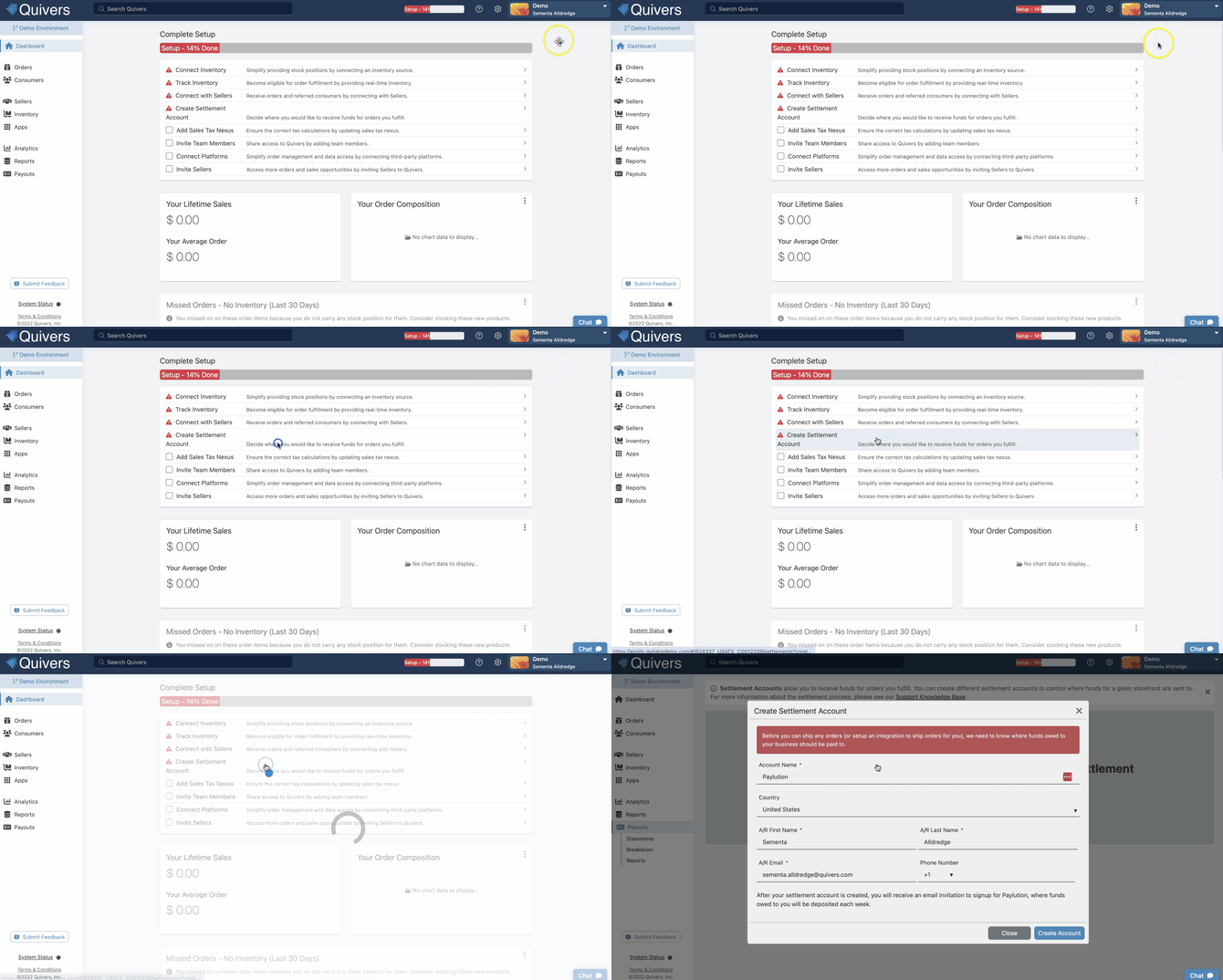
Note: Only one contact email can access the Paylution Pay Portal per account. Choose your Accounting contact carefully during setup — it can be changed later if needed, but plan for who should own this.
Best Practice: You'll typically receive your Paylution setup email after you ship your first order — watch your inbox (including spam/junk folders) around that time so payout setup doesn't stall your first payment.
Settlement Schedule
Settlements run on a weekly cycle: the settlement period runs Sunday through Saturday, with payment issued by the following Friday. An order is added to your next settlement once it's marked Shipped or Picked Up in the Retailer Panel.
Best Practice: Mark orders as shipped as soon as they actually ship, and cancel orders you can't fulfill (including test orders) as early as possible — both keep your settlement reporting accurate and avoid unnecessary processing fees.
Auto-Transfer to Your Bank
Paylution's Auto-Transfer feature automatically credits your settlement funds to your linked bank account, so you don't need to manually withdraw funds each cycle. Set this up once in your Paylution account and payouts will continue automatically.
Frequently Asked Questions
When do I actually get paid for an order?
Once an order is marked Shipped or Picked Up, it's included in the current Sunday-Saturday settlement period, and payment is issued the following Friday.
I haven't received my Paylution setup email — what do I do?
This email is typically sent after your first shipped order. If it's been more than a few business days since your first shipment and you haven't seen it, check your spam folder, then contact Support.
Can more than one person on my team access Paylution?
Only one contact email can access the Paylution Pay Portal at a time. You can change which contact that is later if your Accounting contact changes.
Do I have to use Auto-Transfer?
No, but most Retailers find it convenient since it removes the need to manually withdraw funds every settlement cycle. If you need assistance setting this up, please contact support@quivers.com
Are there fees taken out of my settlement?
Yes — Quivers applies a fulfillment fee and/or a payment-processing fee to the orders you fulfill, and your rate can vary by brand. For your specific rate, contact support@quivers.com.