
In This Article
- What Is a Customer Discount?
- Before You Start
- Setting Up a Customer Discount
- Frequently Asked Questions
What Is a Customer Discount?
A Customer Discount applies when the customer making the purchase belongs to a consumer group you've selected — for example, offering a loyalty discount to a VIP list, or a special rate to employees or ambassadors.
Before You Start
Customer is one of five Discount Types available in Quivers. Before configuring the steps below, complete the shared setup steps — naming the discount, Codes, Duration, Bypass Connections, and selecting your Storefront — described in How to Create a Discount.
Helpful Tip: For more detail on any of these basics — Codes, Duration, Bypass Connections, Discount Requires Code, or Limits — see How to Create a Discount.
Note: Want this discount to share a usage limit with other discounts, or combine it with Prevent Using with Other Discounts? See the Limits section of How to Create a Discount — those two settings can conflict with each other, so it's worth reading before you configure either one.
Setting Up a Customer Discount
After selecting Customer as the Discount Type and choosing your Storefront:
- Enter the Take Off amount.
- Choose whether it's a % or $ discount.
- Select the Consumer Group(s) the discount should apply to.
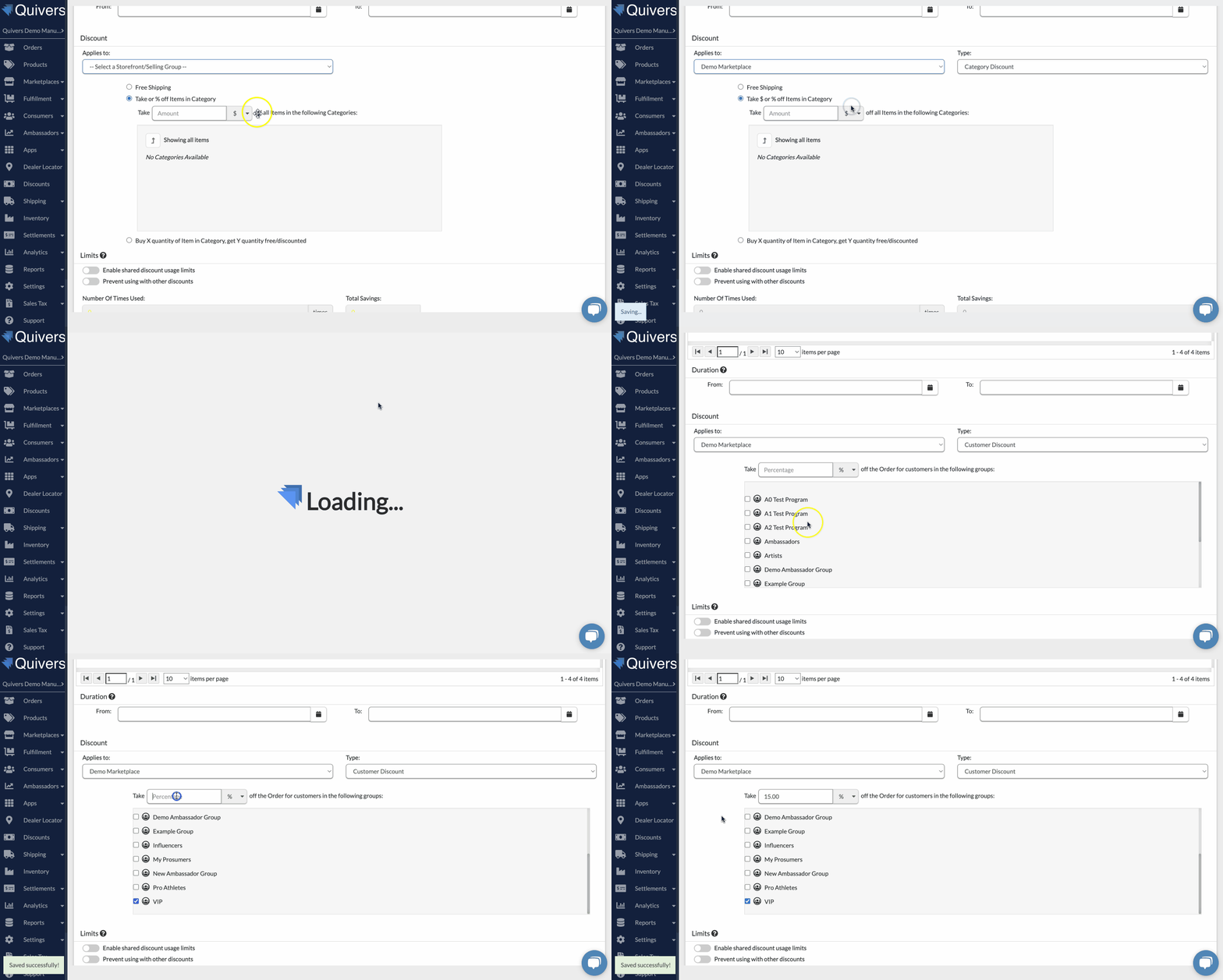
Note: Customer Discounts are commonly paired with discount codes distributed through ambassador or affiliate programs (for example, one unique code per member of the consumer group). If codes for this discount are generated per-consumer, make sure the discount is explicitly marked as requiring a code. Otherwise, if every code is later removed — such as when consumers leave the group — the discount could unintentionally start applying automatically to all carts instead of just the intended group. See the Codes section of How to Create a Discount for more, and How to Set Up an ARM Portal for Affiliate Tools in Quivers for how these ambassador-linked codes are created in the first place.
Frequently Asked Questions
Q: Can a customer be in more than one qualifying consumer group?
A: Yes — if a customer belongs to multiple consumer groups that each have an active Customer Discount, use the Limits settings described in How to Create a Discount to control whether more than one can be applied.
Q: Does a Customer Discount require a code?
A: Not necessarily — you can set it up as automatic for anyone in the consumer group, or require a code as an added layer of control. See the note above if you're distributing per-customer codes.